The Essential Excel Mastery: Why It’s Your Most Crucial Career Skill
Open any job listing for an accountant, analyst, HR executive, sales coordinator, or operations manager. One common requirement is proficiency in microsft excel in bongaigaon.
It’s one of the most widely used productivity tools in the world, and for good reason.
Whether you’re a student, a fresher, or a working professional, Excel can save you hours of work. It can also make you more valuable at your job.
Why Choose Tech Geek Education in Bhakarivita, Bongaigaon?
At Tech Geek Education, a Skill Development & Career Training Center located at Bhakarivita, Bongaigaon, we help learners build practical, job-ready skills. Excel is at the top of that list.
Why Learn Microsoft Excel?
- It’s in demand across industries. Banking, retail, healthcare, education, logistics, and IT all rely on Excel for data handling, reporting, and decision-making.
- It makes you faster and more accurate. Tasks that take hours by hand, like totaling figures, sorting records, or building reports, can be done in minutes.
- It builds your data skills. Excel is the gateway to data analysis. If you know it well, learning Power BI, SQL, or Python becomes much easier.
- It boosts your resume. Advanced Excel skills are a clear advantage in interviews and promotions.
Excel Skills Every Learner Should Know
Beginner Level
- Entering, editing, and formatting data
- Basic formulas: SUM, AVERAGE, MIN, MAX, COUNT
- Sorting and filtering data
- Cell referencing (relative, absolute, mixed)
- Creating simple charts
Intermediate Level
- Logical functions: IF, AND, OR
- Lookup functions: VLOOKUP, HLOOKUP, XLOOKUP, INDEX-MATCH
- Conditional formatting
- Data validation (drop-down lists)
- Text functions: LEFT, RIGHT, MID, CONCAT, TRIM
Advanced Level
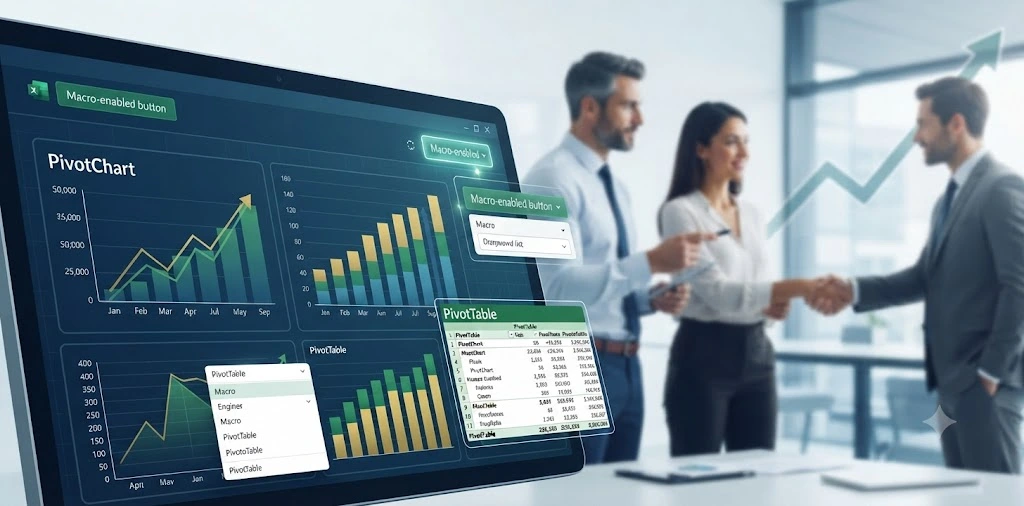
- PivotTables and PivotCharts for summarizing large datasets quickly
- Power Query for cleaning and transforming data
- Dashboards with slicers and interactive charts
- Macros and an introduction to VBA automation
- What-If Analysis, Goal Seek, and Solver
Five Excel Tips to Work Smarter
- Use keyboard shortcuts. Ctrl + C/V/Z, Ctrl + Arrow to jump across data, and Ctrl + Shift + L to toggle filters will speed up your work immediately.
- Learn XLOOKUP. It’s more flexible and easier to use than VLOOKUP, and it can look in any direction.
- Convert data to Tables (Ctrl + T). Tables auto-expand, make formulas easier to read, and keep formatting consistent.
- Use Flash Fill (Ctrl + E). Excel detects patterns and fills in data for you, which is handy for splitting names or reformatting phone numbers.
- Clean your data first. Accurate analysis starts with clean data. Always check for blanks, duplicates, and extra spaces.
Real-World Uses of Excel
| Profession | How Excel Helps |
| Accountant | Ledgers, budgets, GST calculations, financial statements |
| HR Professional | Attendance, payroll, employee databases |
| Sales Executive | Tracking leads, targets, and commissions |
| Teacher / Student | Marksheets, grade analysis, project data |
| Business Owner | Inventory, expenses, profit and loss reports |
| Data Analyst | Cleaning, analysing, and visualizing data |
Career Opportunities After Learning Excel
With strong Excel skills, you can pursue roles such as:
- Data Entry Operator
- MIS Executive
- Accounts Assistant
- Business or Data Analyst
- Office Administrator
- Operations Executive
- Reporting Analyst
Excel is a strong foundation for freelancing, since microsft excel in bongaigaon helps small businesses with reports and dashboards.
How Tech Geek Education, Bhakarivita, Bongaigaon Will Help You Learn Excel
Learning Excel from the right people makes all the difference. At Tech Geek Education, Bhakarivita, Bongaigaon, you learn from engineers with 15+ years of industry experience who have used these tools in real workplaces, not just in classrooms.
Here is how we help you succeed:
- Learn from 15+ years experienced engineers: Our trainers bring real industry knowledge, practical shortcuts, and workplace best practices into every session.
- Hands-on practice: Work on real-world examples and live datasets instead of only theory.
- Step-by-step learning: Progress smoothly from beginner to advanced, at a pace that suits you.
- Industry-relevant skills: Focus on the formulas, tools, and reports that employers actually look for.
- Career guidance: Get support with resumes, interview preparation, and applying your skills with confidence.
- Local, accessible training: Quality skill development right here in Bongaigaon, so you don’t need to travel far to build your career.
Final Thoughts
Microsoft Excel isn’t just a spreadsheet tool. It’s a career skill that opens doors in almost every field. The earlier you start, the bigger your advantage. Start with the basics, practice regularly, and move toward advanced features like PivotTables and dashboards.
Ready to build your Excel skills?
Join Tech Geek Education, Bhakarivita, Bongaigaon, your Skill Development & Career Training Center, and learn from 15+ years experienced industry engineers.
Learn. Practice. Grow.